


Free
Studio C
The basic room, with what a mix needs: EQ, compressor, and gate on every channel, and a bus compressor, reverb, and delay on the desk. It’s not a trial, so you can finish real mixes in it.
FreeNo time limit, no card.
Download MIXA mixing desk for the Mac. Built for the work.
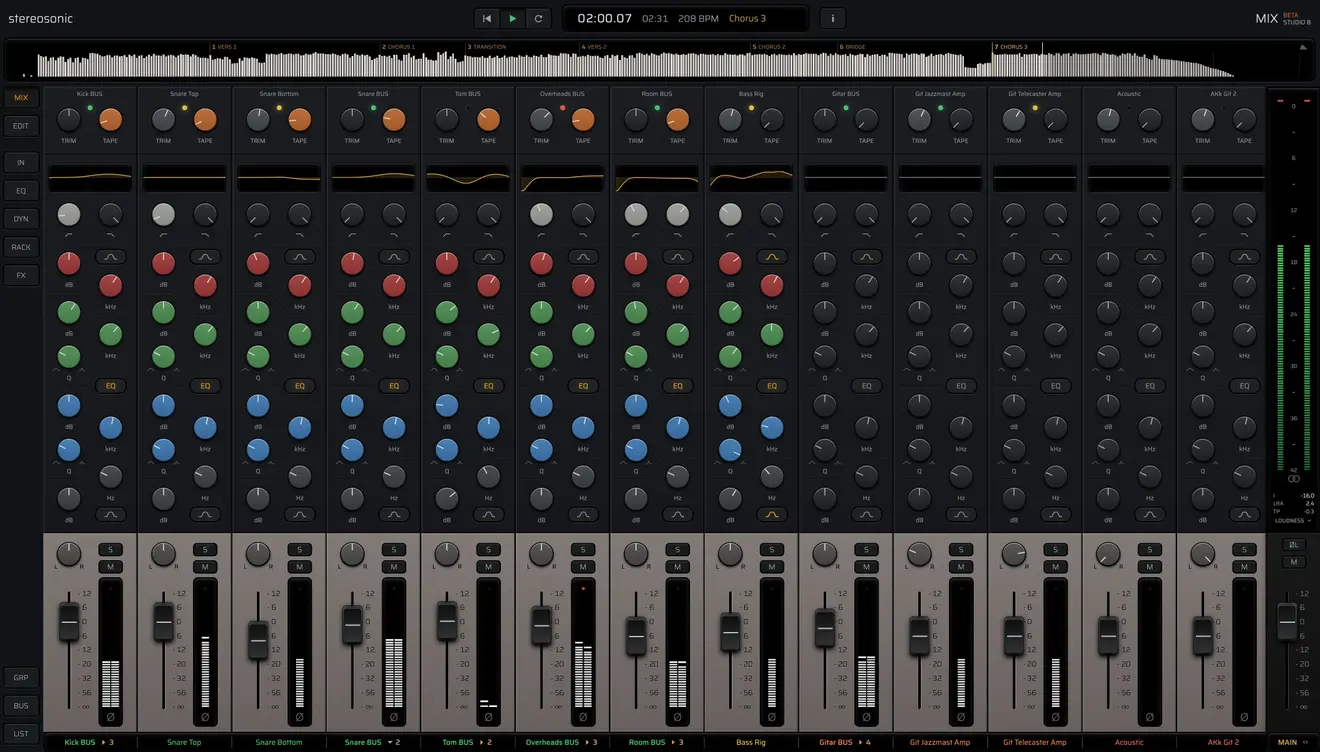
Stereosonic MIX is probably the first app made only for mixing. It doesn’t record: it takes the tracks you have recorded and gives them a desk, with EQ, dynamics, and sends on every channel, and the bus compressor, reverb, and delay built in.
Who it’s for
Proper tools on every channel and no presets to lean on. MIX shows you where the sound goes and keeps the level steady, so you learn to hear what each move does.
Everything in front of you, processing you can trust, and an app that doesn’t make you wait. Less time on the mechanics leaves more room to listen and make the calls that matter.
The desk
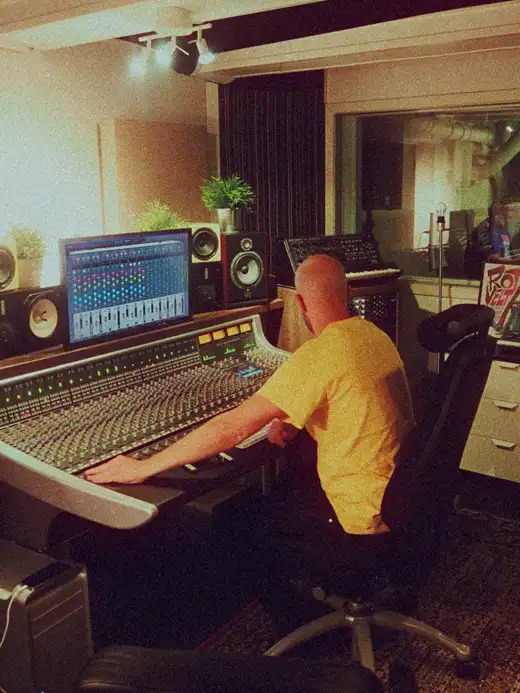
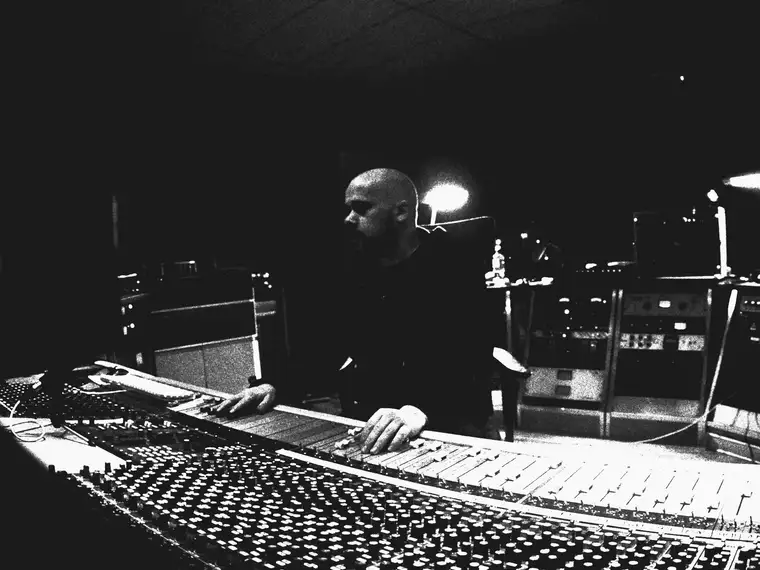
The idea came from engineers who could make a record sound huge on a plain console, without a room full of outboard gear: the good tools right in front of them, ears they trusted, and the time spent on the balance.
Then there were our friends, who mixed with long plugin chains and stacks of presets and ended up with mixes that sounded overworked. A few good tools go further, and MIX is built on that opinion.
Much of the processing is modelled down to the circuit, on the kind of gear heard on thousands of hit records. Where there is no circuit to follow, as with some of the reverbs, it is built on established research into how they should sound. All of it sits on the strip, at your fingertips. Reach for what the song needs and take it where your ears want it to go.
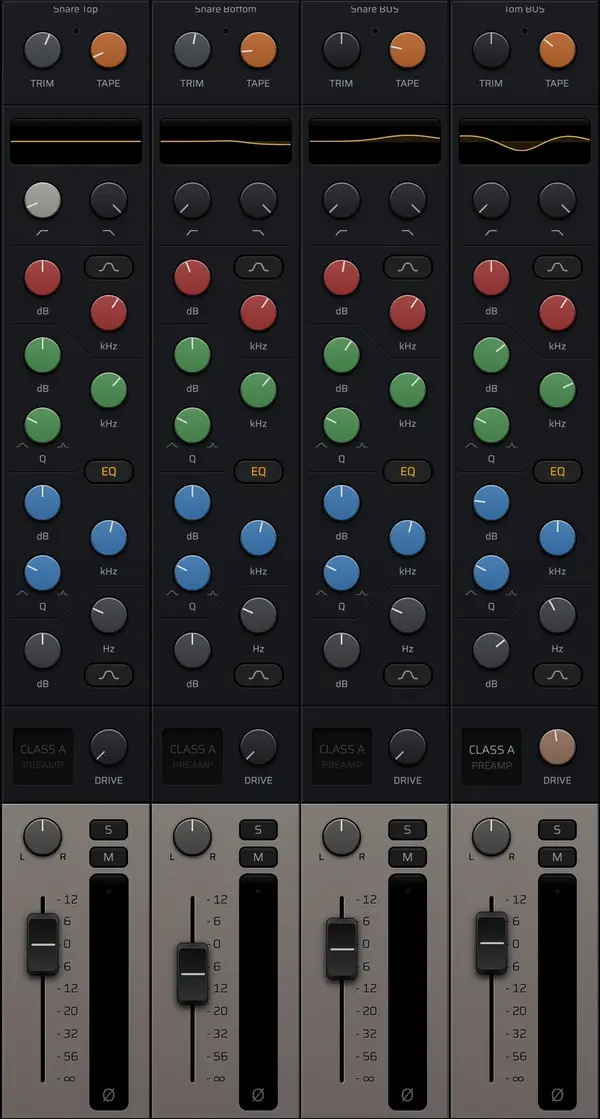
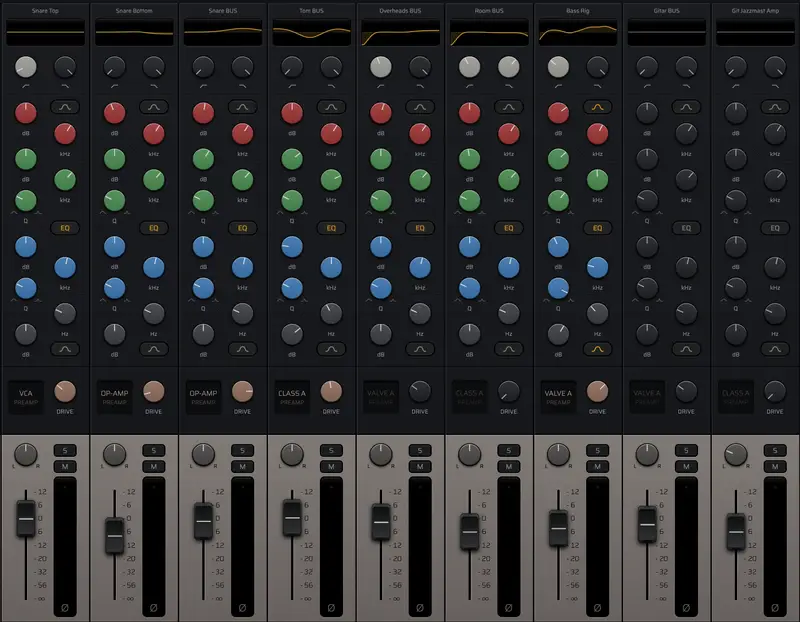
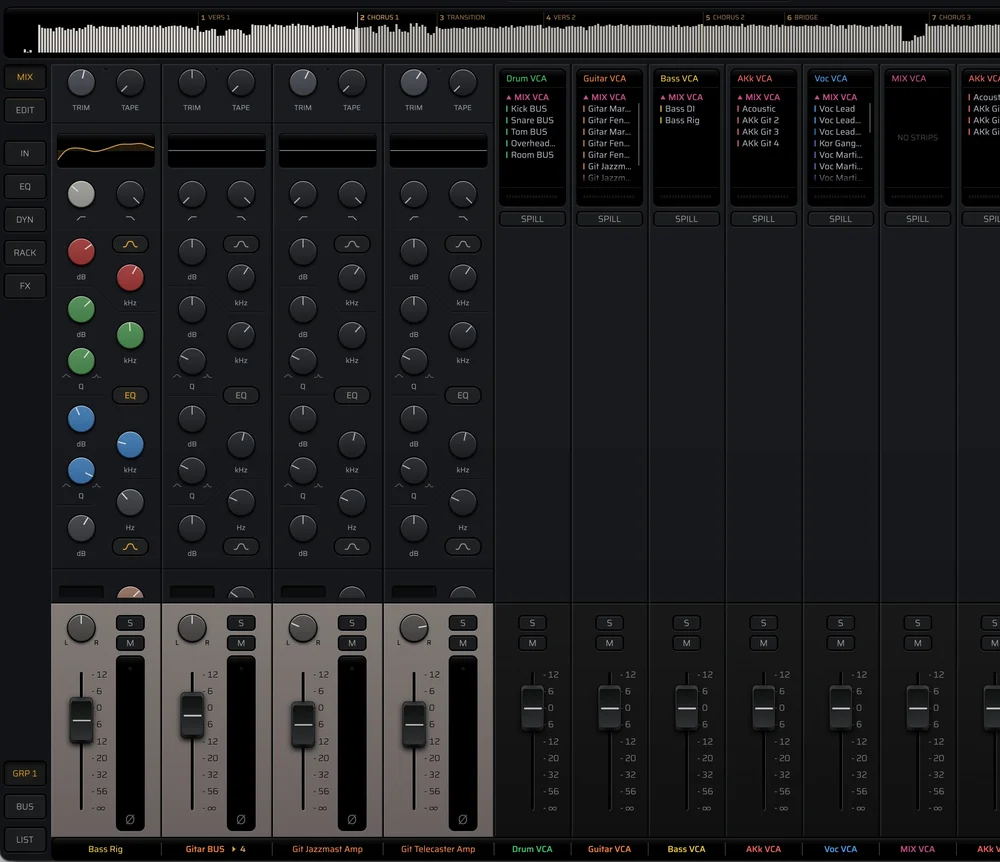
Every strip is laid out the same, so after a while you stop thinking about how and start thinking about where you want the mix to go.
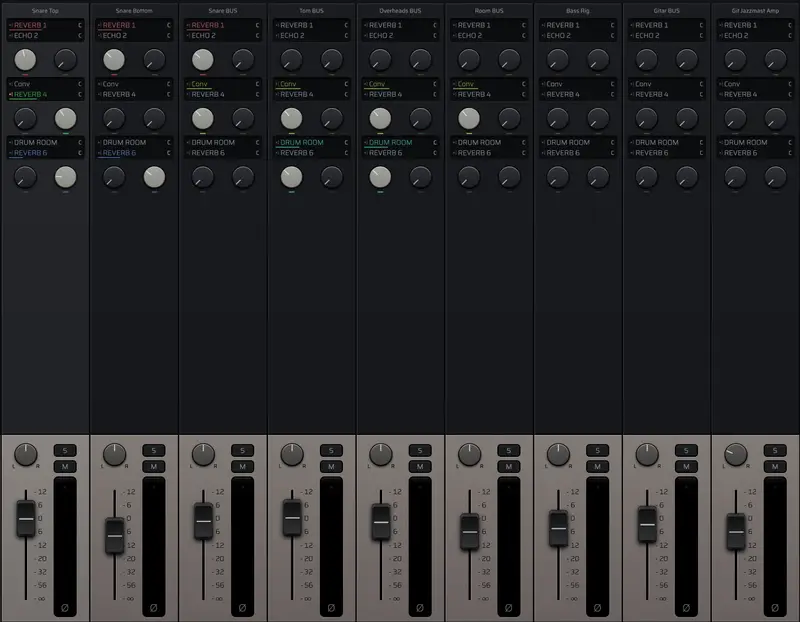
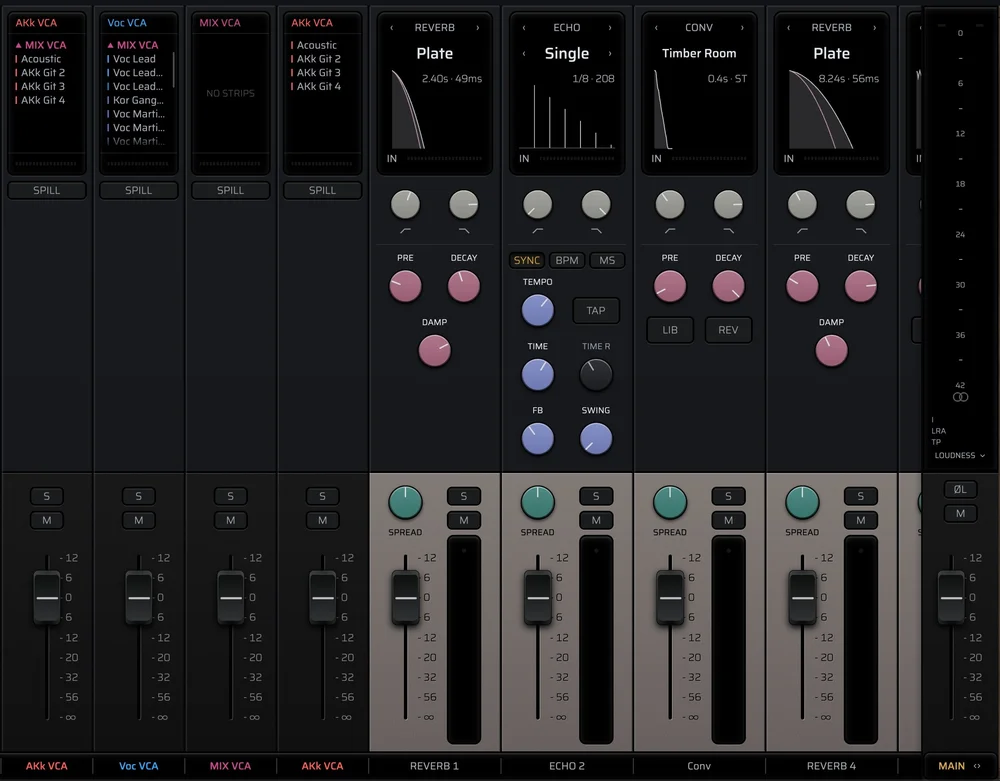
Routing works the way it does on a console. Send to the reverb and delay, group to a bus, and finish on the bus compressor, with VCAs to ride whole groups.
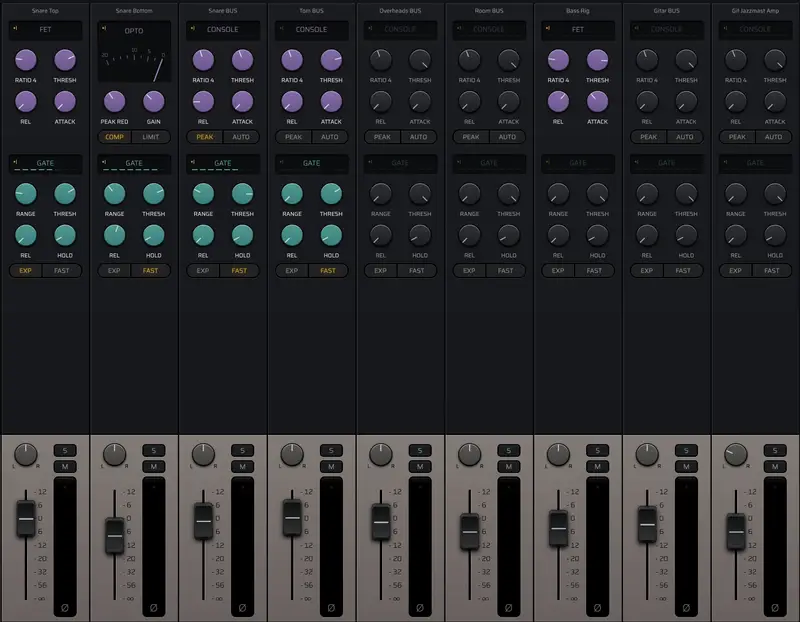
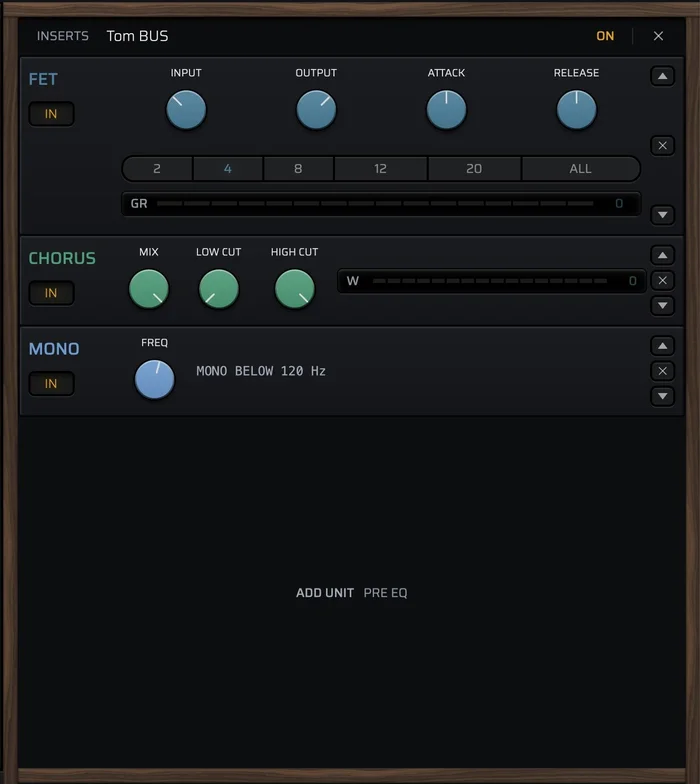
Every channel and bus has a rack. Patch in a FET, an opto, or a chorus before or after the EQ, the way you would with outboard.
The channel compressor swaps for a FET or an opto. A drum gate, a de-esser, and limiters are on the way.
Getting started
Import the session and MIX takes care of the groundwork: it suggests names, lays the tracks out from your template, and sets the levels the desk is calibrated for. You listen through, shape the structure, and spend your time on the mix.
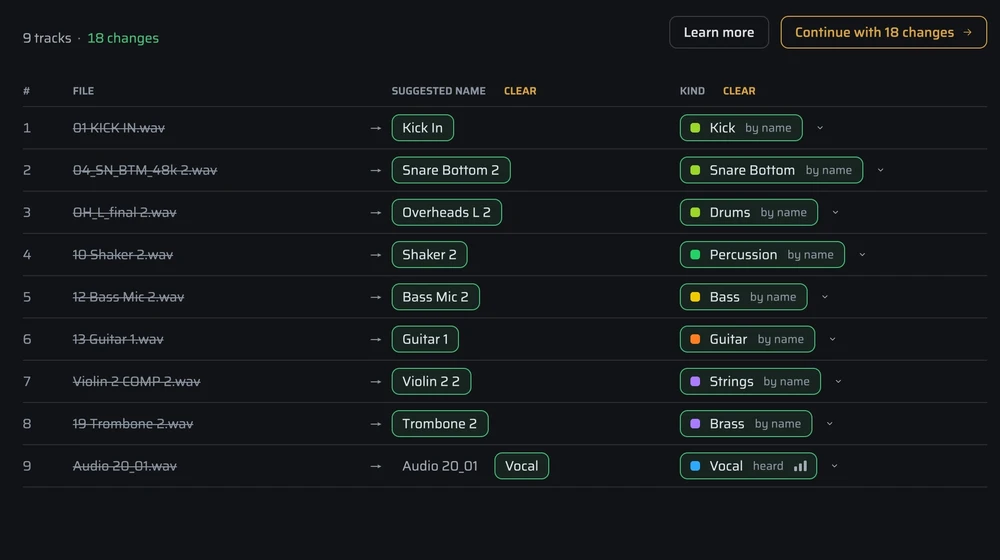
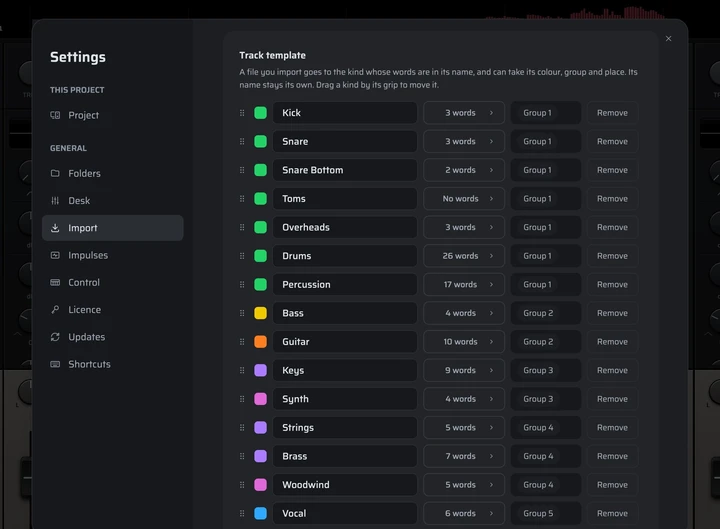
Bring the tracks as they came, in whatever format. MIX recognises what is on every track and suggests a clean name in the style of your import template. It does the work, you make the call.
Import
Your import template holds the order, colours, groups, and names you like. Import a session and the desk is set up that way in seconds.
Preparation
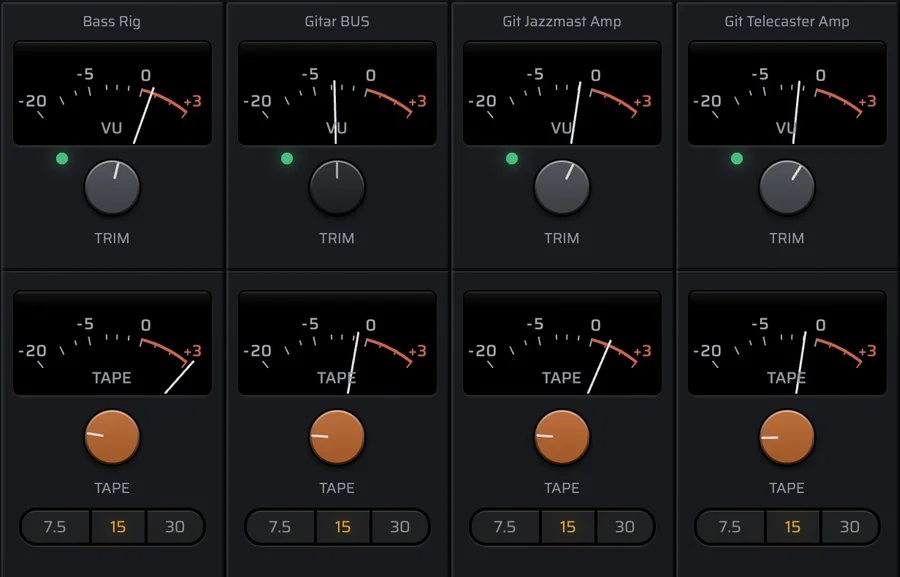
Imported tracks are trimmed to the level the desk is calibrated for, so the processing responds much the same from one track to the next. You can leave the gain staging to MIX, or set the trim yourself.
Preparation
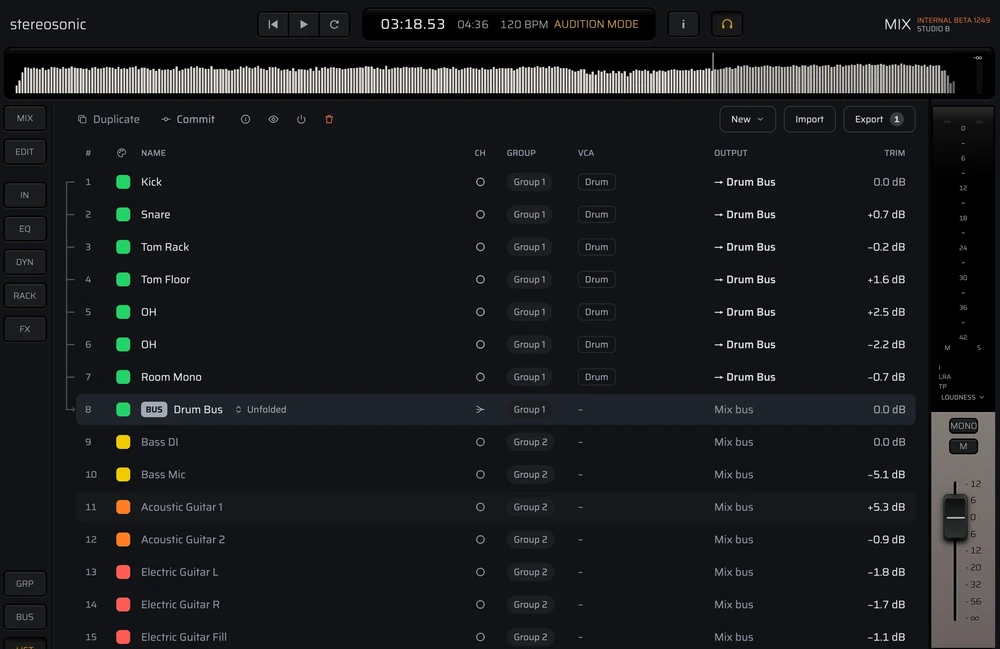
Where a suggested name stops at ‘Drums’, Audition tells you the rest. Each track you select plays from its loudest moment. You name what you hear, and you know how the toms sound before you start mixing.
Set-up
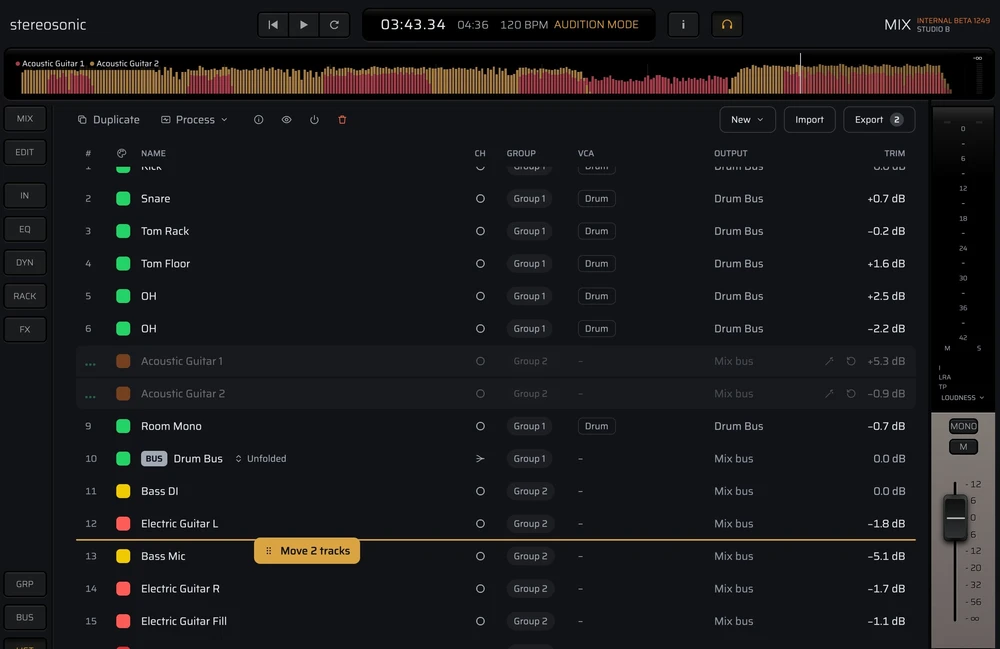
A view made for building the session: drag tracks into order, name and colour them, group them, and make buses and VCAs from what you select. The structure comes together fast, before the mix begins.
Mixing
One desk, built here from the EQ to the reverb. Every knob means the same on every strip, the screen shows the part of the mix you are working on, and the rest of your time goes to listening.
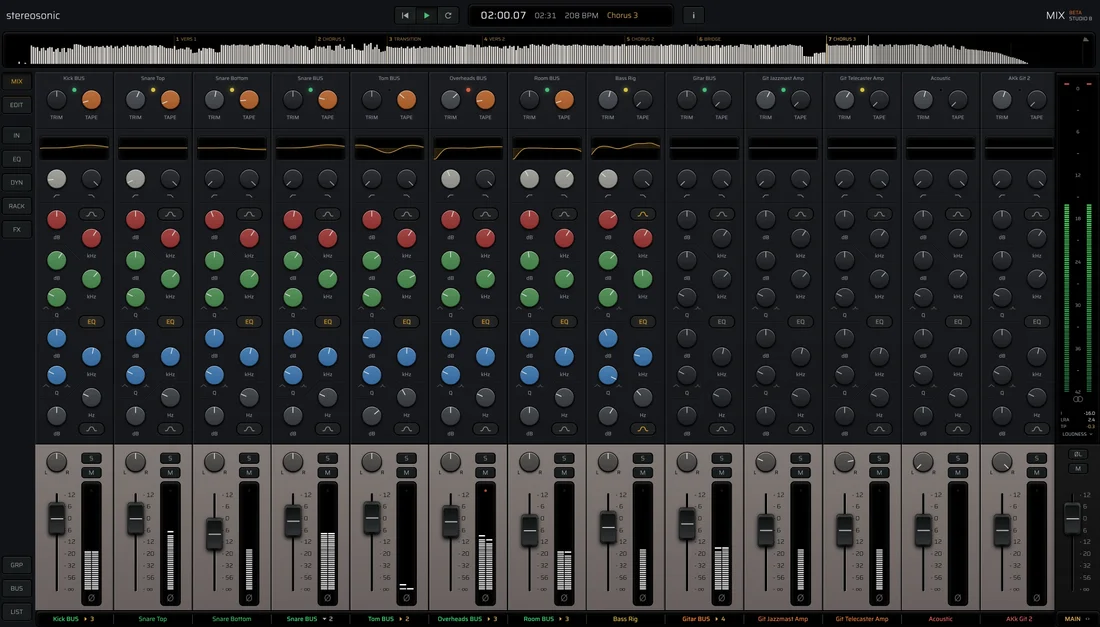
Patched in and ready. As in a well-equipped studio, the gear is already patched in. You switch on what the mix needs. The tools you reach for most sit on the strip, laid out like a console, so you know your way around from the start.
Stay at the desk. The mixer window in most DAWs shows the faders, not the mix from start to finish, so you keep switching back to the editor. MIX lays the whole mix out in a sleek timeline display above the desk, like a finished bounce. Mark the sections, jump between them, and loop any part you like. The display follows the tracks you select.
Focus on what you turn. E for EQ, D for dynamics, F for effects, R for the rack: four keys side by side that take you straight to the controls you want to change. In focus, the section opens up with more than the strip has room for.
Only the channels you need. Group the kit and see the kit alone. Fold a bus and it stands in for the tracks it sums: three snare mics, one strip.
Louder isn't better. Louder sounds better at first, so many plugins turn the level up when you switch them in. MIX doesn't. Switch in the compressor or saturation and the level stays put, so you hear only what it does to the sound.
A rack on every strip. Like the inserts on a classic console, every channel and bus has a rack you can place before or after the EQ and dynamics. It is small for now: FET and opto compressors, modelled at circuit level, and a chorus. Stack them in series or put them on a bus. Much more is on its way.
Sends and VCAs. Turn up a send to reach the reverb, delay, or chorus. Nothing to assign, and the sends sit in the same place on every strip. A VCA rides a whole group with one fader, balance and reverb included, and VCAs can ride other VCAs.
The main bus. The mix ends on a bus built like a big console's: trim, a VCA bus compressor modelled at circuit level, and a passive EQ for broad shaping and colour. Spread sets the stereo width. Listen in mono, or flip one side to hear what mono would lose, with LUFS, peak, and RMS on the meters.
Sound
A digital desk can quietly change what you hear. We measured where, and fixed it.
Saturation adds harmonics, and in a digital desk the highest of them fold back as harsh tones. Many plugins make the fix optional. In MIX we measured where it is needed, and there it is always on. The top end stays clear, even when you blend with a clean copy.
Many digital EQs squeeze their curves near the top of the band, so a bell at 12 kHz sounds different at 44.1 kHz than at 96. Ours keeps the analogue curve and its phase all the way to 20 kHz, at every rate. Your top end no longer depends on the session.
When a sound goes two ways and meets itself again, as in parallel compression, the top end often goes hollow. Many DAWs line up the delay, but not the shift that saturation puts in the top octave. MIX lines up both, so the blend stays bright all the way to 20 kHz.
Switch a section in or out mid-song and the track stays in time, because each section costs the same delay on or off. Many plugins switch hard and can click. In MIX, mutes, routes, switches, and jumps happen without a click.
A linear phase EQ has to hear what is coming, and the more precise it is in the bass, the further ahead. A common setting looks a tenth of a second ahead. Ours looks more than half a second, yet nothing waits: your tracks are already recorded, so MIX reads ahead.
Switch in many plugins and the track gets a little louder, and louder always sounds better at first. In MIX, tape, drive, and the compressors keep their level, so what you hear is the character. The EQ does not, on purpose: a boost should sound like a boost, and +6 is 6 dB.
Leave your email address and the link is in your inbox. MIX is under 100 MB and opens instantly. Studio C is completely free and has the tools to finish a mix.




Stereosonic Labs
Stereosonic Labs is Kristoffer and Finn. We grew up together in Norway and played in a punk band at secondary school.
Where MIX is today
We released the first public beta of MIX in September 2026. It does the core of mixing well: the desk, the import, versions, and export. Some of what a professional desk needs isn’t in it yet, automation among them. That is being built, and you can follow it on the roadmap.
The goal is a complete mixing desk for the Mac, whether you are learning to mix or delivering records for a living. We will get there one release at a time.
This early on, every Studio B licence lets us build faster. You'll watch it grow, update by update, knowing you helped it get there. Your licence covers 1.0 and every MIX 1 update after it.
Studio C is free. Studio B adds the gear a bigger mix asks for.
Free
The basic room, with what a mix needs: EQ, compressor, and gate on every channel, and a bus compressor, reverb, and delay on the desk. It’s not a trial, so you can finish real mixes in it.
FreeNo time limit, no card.
Download MIXMore gear in the rack
The bigger room next door, with more gear in the rack and more tools on every channel.
There are two of us making MIX, Kristoffer and Finn. Buying Studio B now helps us build what comes next.
Regular price $249 $169Introductory price, tax included. One payment, every MIX 1 update.
Something we haven’t answered? Write to us, and Kristoffer or Finn will reply.
Stereosonic MIX is a mixing desk for the Mac, made by Stereosonic Labs. It does one job: mixing recorded tracks. Bring the audio tracks from wherever they were recorded, a full drum kit and all, and MIX lays them out on a console with EQ, compressor, and gate on every channel, and a bus compressor, reverb, and delay on the desk. It isn’t a workstation. Studio C is free; Studio B adds more gear to the rack.
A DAW is built to record, arrange, and edit, and the mix happens in whatever room is left. MIX doesn’t record at all. It starts where the recording ends. The import names, orders, and levels your tracks, every channel already has its EQ and dynamics, and the processing sits on the strip instead of in a list of plugins. Make the song in your DAW, and mix it in MIX.
Not yet, and we won’t pretend otherwise. MIX has the desk, the import, versions, and export today, and it’s updated often. Automation and more are being built, and you can follow them on the roadmap. The versions before 1.0 are MIX 1 too, so a Studio B licence bought today covers 1.0 and every MIX 1 update after it.
No. You give us your first name and email address so we can send you the download link, and that's it. The app never asks you to sign in.
They stay on your Mac. A mix is a plain text file in your project folder, next to the audio. MIX checks for updates when it starts. Your audio and your mixes stay with you.
Then you keep Studio C for as long as you like. It isn't a trial and it doesn't run out, so you can finish real mixes in it.
Macs with Apple Silicon, on macOS 13 or later. Windows and Linux are planned for later.
Not yet. Plugin support is coming, and we want it to be stable before it ships. Until then, the EQ, dynamics, and effects are built into the desk, so every mix opens the same way on any Mac and you spend the time mixing, not choosing between forty compressors.
Studio B in MIX 1, with every update within it. If there is a MIX 2 one day, owners of MIX 1 get it at an upgrade price.
Studio C is free